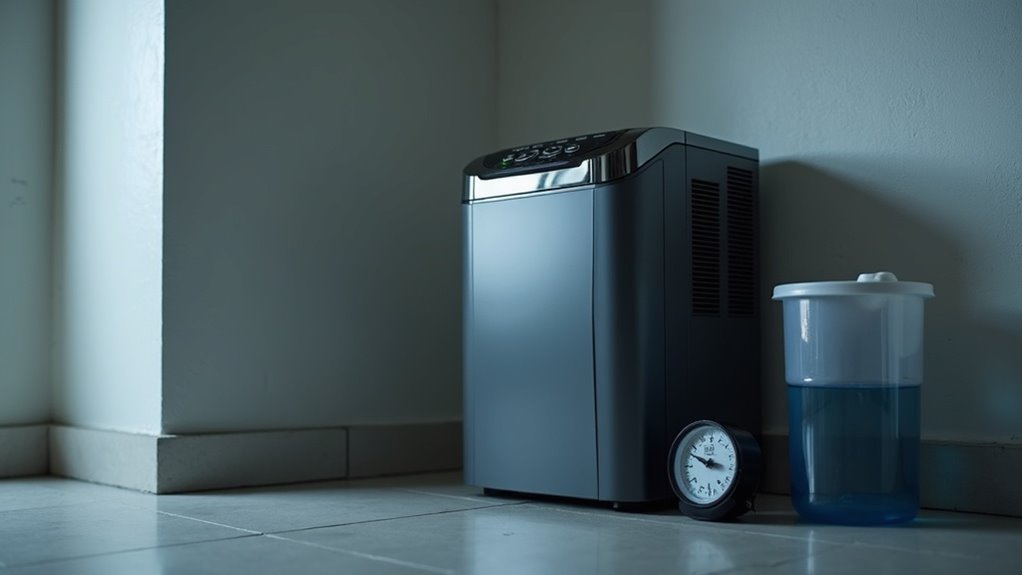
To check your basement dehumidifier, start by measuring humidity levels with a hygrometer. Confirm it’s within the ideal range of 30% to 50%. Inspect the unit for any clogs in the air filter and make sure the water collection bucket isn’t full. Listen for unusual noises that could indicate issues. Finally, monitor performance over time by tracking humidity and energy consumption. There’s more to optimizing your dehumidifier performance, so keep exploring the best practices.
Key Takeaways
- Regularly inspect the water reservoir for fullness to prevent overflow and ensure efficient operation.
- Check the air filter for dirt or clogs to maintain proper airflow and performance.
- Monitor humidity levels with a hygrometer, aiming for a range of 30% to 50%.
- Listen for unusual noises during operation that may indicate mechanical issues needing attention.
- Conduct routine maintenance, including cleaning the filter and checking drainage, to enhance longevity and efficiency.
Assessing Humidity Levels
To effectively manage humidity in your basement, start by measuring the relative humidity with a hygrometer, as ideal levels range from 30% to 50%.
Regularly monitor these humidity levels, noting fluctuations when the dehumidifier operates. Assess the square footage of your basement by multiplying its length by width; this will help you determine the appropriate dehumidifier capacity needed.
Remember that moisture levels can vary with temperature, so check readings at different times throughout the day and across seasons.
Record your findings over time to evaluate how well your dehumidifier maintains suitable humidity and serves your space effectively.
Inspecting the Dehumidifier
When you want your dehumidifier to function properly, regular inspections are crucial.
Regular inspections are essential for ensuring your dehumidifier operates efficiently and maintains ideal humidity levels.
By keeping an eye on key components, you can guarantee efficient operation and maintain ideal humidity levels.
- Inspect the water reservoir for fullness.
- Check the air filter for dirt or clogs.
- Examine the power cord and plug for wear.
- Use a hygrometer to monitor humidity levels.
- Listen for unusual noises during operation.
These simple steps help identify potential issues before they escalate, guaranteeing your dehumidifier runs smoothly and effectively, ultimately protecting your basement from excess moisture.
Checking Water Collection Bucket
To keep your dehumidifier running efficiently, regularly check the water level in the collection bucket.
Make sure to clean the bucket periodically to prevent buildup and odors.
Finally, confirm that the drainage setup is working correctly to avoid overflow and maintain peak performance.
Inspect Water Level Regularly
Regularly checking the water collection bucket of your dehumidifier is crucial for its efficient operation.
By inspecting the water level, you guarantee the dehumidifier is working effectively to remove moisture from the air.
Here are some tips to help you:
- Inspect the bucket daily, especially in high humidity conditions.
- Empty the water when it’s near full to prevent overflow.
- Verify the bucket is properly seated for peak performance.
- Monitor humidity levels to adjust your dehumidifier settings if needed.
- Maintain air quality by preventing mold and bacteria growth in the bucket.
Stay proactive to keep your basement fresh and dry!
Clean Collection Bucket Periodically
Cleaning the collection bucket of your dehumidifier is essential for maintaining its efficiency and guaranteeing good air quality.
Regularly clean the collection bucket at least once a month to prevent mold and bacteria buildup, which can hinder ideal performance. Check for cracks or damage that could lead to leaks and water damage. If your model has a float switch, verify it’s functioning to prevent overflow.
Remember, a well-maintained dehumidifier helps control moisture levels effectively. Always unplug the unit before cleaning the bucket to secure safety.
This simple task goes a long way in prolonging your dehumidifier’s lifespan and effectiveness.
Ensure Proper Drainage Setup
Making certain your dehumidifier has a proper drainage setup is essential for its efficient operation. To maintain ideal performance, regularly check the water collection bucket and drain hose.
Here are key steps to follow:
- Make sure the water collection bucket is securely aligned to prevent leaks.
- Inspect the bucket for mold or mildew; empty it frequently.
- Clear any blockages or debris that may hinder drainage.
- If using a drain hose, make certain it’s free from kinks.
- Position the hose correctly for smooth water flow away from the dehumidifier.
Listening for Unusual Noises
You might not realize it, but listening for unusual noises from your basement dehumidifier can alert you to potential issues. Grinding, rattling, or buzzing may indicate mechanical issues or loose components. A consistent humming sound is normal, but any sudden changes could signal motor or fan problems. If you hear water sloshing, your tank might be full or the drain line obstructed. High-pitched squeals suggest fan blades need inspection. Regularly monitoring these sounds helps catch issues early, ensuring your dehumidifier operates efficiently.
| Noise Type | Potential Issue |
|---|---|
| Grinding/Rattling | Mechanical issues |
| Sudden Humming | Motor or fan problems |
| Water Sloshing | Full tank or drain obstruction |
| High-Pitched Squeal | Fan blades obstruction |
| Consistent Humming | Normal operation |
Examining the Filter
To keep your basement dehumidifier running efficiently, regularly examining the filter is essential. A clean filter improves moisture removal and air quality while reducing energy consumption.
Here are some key points to evaluate:
- Inspect the filter every 1-3 months based on manufacturer guidelines.
- Clean or replace the filter to avoid clogs that impede airflow.
- Look for signs of mold or mildew, which can affect air quality.
- Always turn off and unplug the dehumidifier before inspection.
- A dirty filter can cause the unit to run longer, increasing costs.
Reviewing Dehumidifier Settings
How often do you check your dehumidifier settings? Regularly reviewing them is crucial to control humidity levels between 30% and 50% to prevent mold growth. Utilize a hygrometer to monitor the relative humidity accurately. If your dehumidifier runs continuously without reducing humidity, it may need adjustment. Consult your user manual for manufacturer-recommended settings. Don’t forget to check automatic settings to guarantee peak performance during wet seasons.
| Humidity Level | Action Needed | Notes |
|---|---|---|
| Below 30% | Increase dehumidifier | Ensure comfort |
| 30-50% | Maintain settings | Ideal range |
| Above 50% | Decrease humidity settings | Prevent mold growth |
| Continuous run | Check settings | May indicate a problem |
| Seasonal change | Adjust for conditions | Monitor often |
Monitoring Performance Over Time
To guarantee your dehumidifier is performing well, regularly monitor the humidity levels in your basement with a hygrometer.
Track the data over time to spot trends and determine if the device is effectively managing moisture.
Pay attention to any signs of moisture or musty odors that could indicate it’s not working as it should.
Track Humidity Levels
Wondering if your basement dehumidifier is doing its job? You can track humidity levels to guarantee ideal dehumidifier performance.
Use a hygrometer to measure humidity, targeting 30-50% for comfort and mold prevention. Keep an eye on fluctuations while the unit operates and cycles off. Regularly check for significant increases in moisture levels, which may signal a malfunction. Document your findings to identify trends and assess effectiveness over time.
Here are some key actions:
- Measure humidity regularly
- Record data consistently
- Monitor fluctuations
- Investigate significant increases
- Check settings and indicators
Taking these steps will help you control humidity effectively.
Analyze Performance Data
While monitoring the performance of your basement dehumidifier, it’s essential to analyze the data you’ve collected over time. Use a digital hygrometer to track humidity levels, aiming for a range of 30-50%. Record the effectiveness of your unit by noting moisture levels before and after use, and monitor energy efficiency with an energy monitor. Additionally, observe the dehumidifier’s cycling frequency; constant running may indicate an undersized unit. Keep an eye on air quality changes, as improvements can signal effective performance.
| Date | Humidity Level (%) | Energy Consumption (kWh) |
|---|---|---|
| 2023-01-01 | 55 | 2.5 |
| 2023-01-15 | 45 | 2.0 |
| 2023-02-01 | 35 | 1.8 |
| 2023-02-15 | 30 | 1.5 |
Additional Maintenance Tips
Maintaining your basement dehumidifier is essential for its efficiency and longevity. Here are some additional maintenance tips to keep your unit running smoothly:
Regular maintenance of your basement dehumidifier is crucial for optimal performance and durability.
- Clean or replace the filter regularly to guarantee optimal airflow.
- Monitor humidity levels with a hygrometer, keeping them between 30-50%.
- Inspect the drainage system for clogs to prevent water accumulation.
- Check the water reservoir frequently, emptying it as needed if there’s no continuous drainage.
- Schedule annual maintenance checks to catch potential issues early.